Real-time connections across our decentralized network.
Live User Activity
Initializing Global Map...
Recently Active Users
Live Network Analysis
Waiting for active connections...
How Automated Logic Tree Software Makes Decisions Easier | AIToolsA2Z Blog | AIToolsA2Z
AI or Technology / SaaS
Aug 21, 2026
How Automated Logic Tree Software Makes Decisions Easier
BA
Bif Algorithm
Contributor at AIToolsA2Z
# How Automated Logic Tree Software Makes Decisions Easier
Making a decision isn't always as simple as choosing between two options.
Sometimes you need to understand a problem, look at the information you have, compare different possibilities, and think about what could happen next. This becomes even harder when the reasoning is spread across notes, documents, meetings, and conversations.
A logic tree can make that process easier to follow.
Instead of keeping every thought in a long paragraph, you can start with one main idea and branch it into supporting points, decisions, evidence, and possible outcomes.
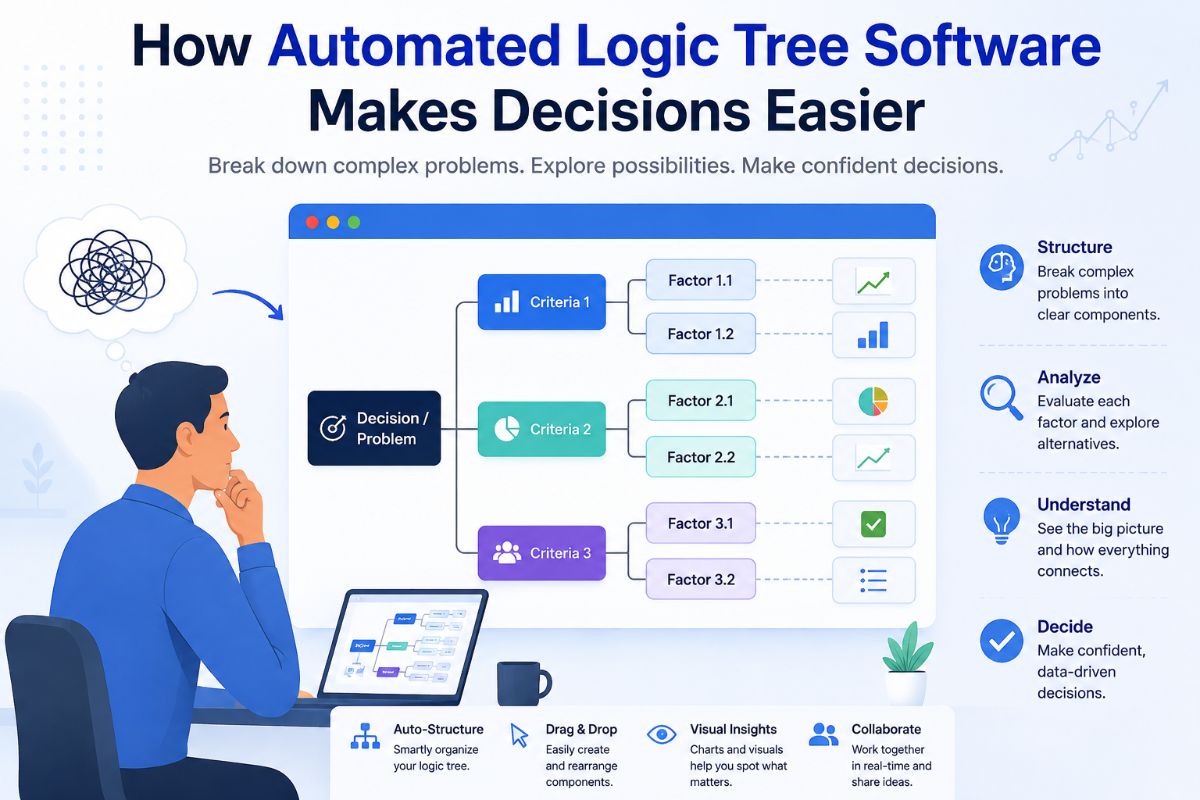
Automated logic tree software makes this process faster by giving you a way to build these structures without drawing everything manually. You can start with a main idea, add supporting information, and connect the different parts so the whole structure is easier to understand.
What Is Automated Logic Tree Software?
Automated logic tree software helps you organize a problem or idea into connected branches.
A simple structure might look like:
Main Problem
→ Possible Cause 1 → Possible Cause 2 → Possible Cause 3
You can then break each branch down further.
For example:
Why Are Sales Falling?
→ Fewer Customers → Lower Conversion → More Competition
Each of these areas can lead to more questions or possible solutions.
The useful part is that you don't have to keep all of the reasoning in your head. The diagram gives you a place to organize it.
AdvertisementSponsored
With automation, the process can also become quicker because you can start from existing information rather than building every part of the tree from scratch.
How Does a Logic Tree Work?
A logic tree usually starts with one central idea.
Each section can be expanded when more information becomes available.
For example, the risks section might include technical problems, delays, budget concerns, or resource shortages.
This makes the project easier to discuss because everyone can see how the different pieces fit together.
It can also make planning sessions more focused because the team can work through one branch at a time.
Small Example of a Logic Tree
Here is a simple example:
Should We Start the Project?
→ Do We Have the Budget? → Yes → Do We Have the Team? → Yes → Start Project → No → Find Additional Resources → No → Review Budget
This is a small structure, but it shows how a larger problem can be broken into smaller questions.
As the problem becomes more complicated, additional branches can be added.
The goal isn't to make the tree as large as possible.
The goal is to make the reasoning easier to understand.
Automated Logic Tree Software vs. Starting From Scratch
You don't always need to build everything manually.
With automated software, you can begin with an idea or existing information and build the structure from there.
This can help reduce the time spent on:
Drawing shapes
Connecting branches
Rearranging nodes
Formatting the structure
Preparing the final presentation
You can spend more time thinking about the actual problem.
The software handles some of the organization, while you remain responsible for checking the final logic.
This is important because automation can help create a structure, but human review is still needed to make sure the relationships and conclusions make sense.
Tips for Creating Better Logic Trees
Keep the Main Question Simple
Start with one clear question.
If the starting point contains several unrelated questions, the tree can become confusing.
Use Meaningful Branches
Every branch should add something useful.
Avoid adding branches simply because you can.
A smaller tree with clear connections is usually easier to understand than a large tree filled with unnecessary details.
Don't Add Too Much Detail
A logic tree can become difficult to read if every small idea gets its own branch.
Keep the main structure simple and add details only when they help explain the problem.
Check the Connections
Make sure each branch actually relates to the point above it.
This is especially important when you're using AI to help create the structure.
An automatically generated tree can still contain connections that need to be reviewed or changed.
Review Before Sharing
Read the tree from the main question to the final outcomes.
If another person can follow your reasoning without needing a long explanation, the structure is doing its job.
If they cannot, look for places where you can simplify the branches or make the relationships clearer.
How BifTech Can Help
BifTech provides a visual workspace for organizing ideas, arguments, decisions, and projects.
The platform uses visual shapes and connectors to help users build logical structures. Different shapes can represent different parts of the reasoning, such as main ideas, statements, decisions, and conclusions.
This can make it easier to see how one idea connects to another.
BifTech also includes structures for:
Decision trees
Debate and persuasion
Essays and research
Project planning
Custom visual maps
You can start with a template or create your own structure from scratch.
The important part is not simply choosing a diagram tool. What matters is creating a structure that helps people understand the problem and follow the reasoning.
You can learn more about BifTech here:
https://bifalgorithm.com/
When Should You Use a Logic Tree?
A logic tree can be useful when a problem has several connected parts.
It may be worth using one when:
A decision has several possible outcomes.
A team can't agree on the main cause of a problem.
A project has many dependencies.
You need to compare several options.
A subject is difficult to explain in a linear document.
Important information is spread across different sources.
For a very simple question, a logic tree may not be necessary.
But when the number of choices and relationships starts growing, a visual structure can make the problem much easier to handle.
Conclusion
Good decisions usually start with good questions.
But when there are too many possibilities, supporting points, and outcomes, it can become difficult to see the whole picture.
Automated logic tree software can help organize that thinking.
You can start with one main question, branch it into important factors, add supporting information, and follow the different possible outcomes.
The result is more than just a diagram.
It gives you a clearer way to look at a problem.
For businesses, students, teachers, researchers, and project teams, that can make discussions easier and help everyone understand why a particular decision or conclusion makes sense.
Frequently Asked Questions
What is automated logic tree software?
Automated logic tree software helps users organize questions, ideas, decisions, supporting information, and possible outcomes into a connected visual structure.
What is a logic tree used for?
Logic trees can be used for decision-making, business planning, research, troubleshooting, education, project planning, and analyzing complicated problems.
What is the difference between a logic tree and a decision tree?
A decision tree usually focuses on choices and outcomes. A logic tree can be broader and may include ideas, evidence, causes, supporting points, decisions, and conclusions.
Can students use logic tree software?
Yes. Students can use logic trees to organize lessons, research topics, essays, debates, and difficult subjects.
Can businesses use automated logic trees?
Yes. Businesses can use them to explore problems, compare options, plan projects, understand risks, and organize strategic decisions.
Can teams work together on a logic tree?
Yes. Collaborative visual tools can allow team members to edit structures, add comments, discuss specific points, and present their work together.
How do I make a good logic tree?
Start with one clear question, add the main branches, break those branches into smaller points, include useful evidence, and review the final structure to make sure the connections make sense.